

If you have been searching “is Procreate free” hoping the answer is yes, I’m sorry to be the one to break it. Let me save you the scroll and tell you what I wish someone had told me before I spent twenty minutes hunting for a download button that did not exist.
Quick answer: Is Procreate free or not?
No. Procreate is not free. It is a paid iPad app, and as of late 2026, it costs about $12.99 in the United States as a one-time purchase. In other regions the number shifts with currency and taxes, roughly £10 to £11 in the UK or around €13 to €14 in the EU. There is no official free version of Procreate, no free trial and no subscription. You pay once.
Once you own it, you can download Procreate again on any compatible iPad signed into the same Apple ID at no extra charge. If you replace your tablet or pick up a second one, you do not pay a second time.
A quick note about me so you know where this advice is coming from. I’m Marisol. I estimate heating and cooling jobs for a small contractor in Tucson, Arizona. About eighteen months ago I bought a secondhand iPad from a coworker’s cousin so I could draw my rescue greyhound, Biscuit, without wasting paper. I use Procreate almost every day, usually on the couch after dinner with a dog on my feet. This article is what I would tell a friend who texted me asking whether the Procreate app is worth the money or whether there is a way around paying.
What exactly is Procreate?
My first month with Procreate was mostly wobbly greyhound legs and hitting undo about forty times per sketch. I genuinely wondered whether I had wasted thirteen dollars on something I did not know how to use. But once I got past that early stage, I understood why it is so popular among iPad users for digital drawing and painting.
Procreate is a premium drawing app built specifically for iPad. It is focused on painting, sketching, illustration and even simple animations. It is not a photo editor and it is not a layout tool. Think of it as a digital sketchbook with a lot of power under the hood: layers, clipping masks, custom brushes, time-lapse recording of your process and high-resolution canvases. It is optimized for use with Apple Pencil, but you can draw with your finger or a cheap stylus, especially when you are just starting. I did exactly that for my first few days and it worked fine for basic line art.
How much does Procreate cost in 2026?
Procreate is a one-time purchase on the Apple Store, not a subscription. As of late 2026, the listing shows $12.99 in the United States. In the UK it sits around £10 to £11, and in much of the EU it is roughly €13 to €14 after VAT. Prices can shift when exchange rates or local taxes change, so always check the Procreate page on the App Store for the real current price and the compatibility list before buying. A figure in a blog post can easily be out of date by next year.
There are no in-app purchases for core features. Once you buy the app, everything inside is unlocked: every brush, every layer tool, every export option. No “premium” tier waiting behind a button.
Procreate Pocket, the iPhone version, is a separate purchase with its own price (around $5.99). Procreate Dreams, their animation-focused app, is also separate. Neither is included when you buy the iPad version.
Here is my bias, stated plainly: I like paying once. At work I see how monthly charges pile up on equipment leases and software subscriptions, and I did not want another recurring cost for a hobby I was not even sure I would keep. The one time payment model made it easier to say yes.
Is there any way to get Procreate for free?
As of 2026, Procreate is not offered for free through any official channel. There is no student edition, no limited free version and no free trial.
I would be nervous about installing anything from a website or third-party store that claims to offer Procreate free. Those pirated copies or sideloaded files can carry malware, and using them risks getting your Apple account flagged. It is not worth the trouble over thirteen dollars.
The only semi-free route is Family Sharing. If someone in your Apple Family Sharing group already bought Procreate and has purchase sharing turned on, other members of that group can download it without paying again. But this depends on your settings, your Apple ID setup and Apple’s own rules, so check the listing rather than count on it working automatically.
Apple sometimes runs gift card promotions or device bundles, but those just make the iPad or your store credit cheaper. They do not make Procreate itself free. And while updates to Procreate have so far come to existing customers at no extra charge, I cannot promise the team behind Procreate will do that forever. For now, though, you buy once and updates are included.
Why isn’t Procreate free when some drawing apps are?
Many free drawing apps make their money through ads, watermarks on exports, or locking certain brushes and features behind a paywall. Procreate skips all of that by charging once up front. A paid-up-front app has less reason to run ads or collect user data for advertising, which is a quality-of-life difference you feel every time you open it.
The price funds ongoing development: new brushes, tools, animation improvements and compatibility with new iPadOS versions. The Procreate team keeps shipping updates, and so far none of those updates have cost me extra.
From my own perspective, I liked never hunting for a “premium” button when I tried a new feature. The app stayed out of my way, opened fast and never asked for more money. For me that was worth more than a long feature list I could not fully access without paying again.
A quick comparison that helped me decide: for roughly the price of a sketchbook and a couple of decent pens, you get a full digital art app that keeps getting updates. That math made sense even on a tight budget.
Do you need an Apple Pencil to use Procreate?
No. Procreate works with your finger and with many third-party styluses. An Apple Pencil is not required.
That said, a good stylus makes a real difference over time. Pressure sensitivity lets your line get thicker or thinner depending on how hard you press. Tilt changes how a brush behaves, and palm rejection means you can rest your hand on the screen without leaving stray marks. These things add up when you are trying to draw smooth curves or shade evenly.
I drew with my finger for my first few days and it was fine for simple sketches. Eventually I picked up a cheap stylus with a fine tip and that helped more than any brush pack could. The thing that matters most is that whatever pen you buy actually works with your specific iPad model. Check compatibility before ordering. If you want help with choosing a beginner stylus, I wrote up what I looked for.
An Apple Pencil can cost more than the Procreate app itself, so if money is tight, starting with a finger is completely valid. If you are still choosing an iPad, Pencil compatibility belongs in that decision, especially if you plan to use Procreate seriously in the future. If you are shopping for a pen, here is my take on stylus types for beginners.
Which iPads can run Procreate?
Procreate runs only on iPad. It cannot be installed on Android devices, Windows computers or Chromebooks. It is made specifically for the Apple ecosystem, and if you ever switch to a different device, you cannot take it with you.
Procreate requires iPadOS 15.4.1 or newer to run, and the current version (5.4.14) asks for iPadOS 16.3 or later. The app is supported on various iPad models, including recent iPad Pro, iPad Air, standard iPad (8th generation and up) and iPad mini (6th generation). Older 32-bit iPads that cannot update to the minimum iPadOS are left behind.
The simplest way to check: open the App Store on your iPad, search for Procreate and see whether the page shows a Buy button or says “Not compatible with this iPad.” If your device cannot update to the required iPadOS version, you will not be able to run the current version.
I bought a used iPad, so the very first thing I did was check compatibility before anything else. I recommend anyone buying secondhand do the same. Go to Settings, then General, then About, and confirm your model. It takes thirty seconds and can save real frustration.
Procreate Pocket is a separate app for iPhone, but the small display and different controls make it a different experience. It is not the focus of this article.
Is Procreate worth buying if there are free drawing apps?
For many beginners, Procreate is worth buying. But if money is tight or you are not sure you will stick with digital art, starting with a free app is a smart move and nothing to feel bad about.
Several free alternatives to Procreate exist for digital drawing and painting. Apps like Sketchbook and Ibis Paint X are solid and run on more platforms than just iPad. But one thing Procreate has going for it is the sheer volume of tutorials built around its interface and gestures. Search YouTube for almost any beginner drawing topic and you will find someone walking through it in Procreate, step by step. That library of resources makes learning faster when you are just starting out.
Using a paid app with no ads or locked brushes means fewer distractions. My experience with a free app was fun at first, but I kept bumping into limits just as I got comfortable: locked layer counts, watermarked exports, ad banners interrupting my flow. When I switched to Procreate, none of that existed.
Here is a simple decision rule. If you are interested in digital art but not sure you will stick with it, start free. If you find yourself opening a drawing app at least a few times a month and wishing for better tools, Procreate is probably worth it. One payment spread over a couple of years of regular use comes to very little per session.
Comparing Procreate to other drawing apps (Fresco, Sketchbook, etc.)
There is no single best drawing app for everyone. It depends on your device, your budget and what kind of art you want to create. I am not an expert on this. I am just someone who has spent a lot of evenings drawing on a tablet and has tried a few other apps along the way.
Here is a quick comparison of some options:
|
App |
Price |
Platforms |
Good for |
|---|---|---|---|
|
Procreate |
$12.99 one time |
iPad only |
Painting, illustration, simple animations |
|
Adobe Fresco |
Free tier available |
iPad, some desktop |
Raster and vector brushes, Adobe users |
|
Sketchbook |
Free |
iPad, Android, desktop |
General sketching, clean interface |
|
Ibis Paint X |
Free with optional upgrades |
iPad, Android, phones |
Anime and manga styles, large brush library |
|
MediBang Paint |
Free |
Multiple platforms |
Comic and manga artists |
|
Krita |
Free, open source |
Windows, Mac, Linux |
Painting and illustration on a computer |
|
Affinity Designer |
One-time purchase |
iPad, desktop |
Vector illustration and design |
Adobe Fresco offers a free tier with professional-level painting tools, which is great if you already pay for Adobe Creative Cloud. Sketchbook is a genuinely good free app with no subscription, and it runs on Android too. Ibis Paint X provides a free version with a large brush library and drawing tools, popular with aspiring artists who draw on phones. MediBang Paint is a free application suitable for comic and manga artists. Krita is a free, open-source painting and illustration program available on multiple platforms, though it runs on a computer rather than an iPad.
What makes Procreate stand out for many beginners is the combination of a clean interface, a great brush engine, time-lapse recording and the one-time price. Many artists who use it absolutely love how responsive it feels and how quickly you can go from opening the app to putting down your first line.
The app also supports multiple languages, including Traditional Chinese and Simplified Chinese, which makes it accessible to a wider user base.
What you actually get for the Procreate price
The first week after I bought Procreate, what surprised me most was how the canvas felt like a sketchbook and nothing asked for more money. I kept waiting for a popup or a locked feature, and it never came.
Here is what is included from the moment you download:
-
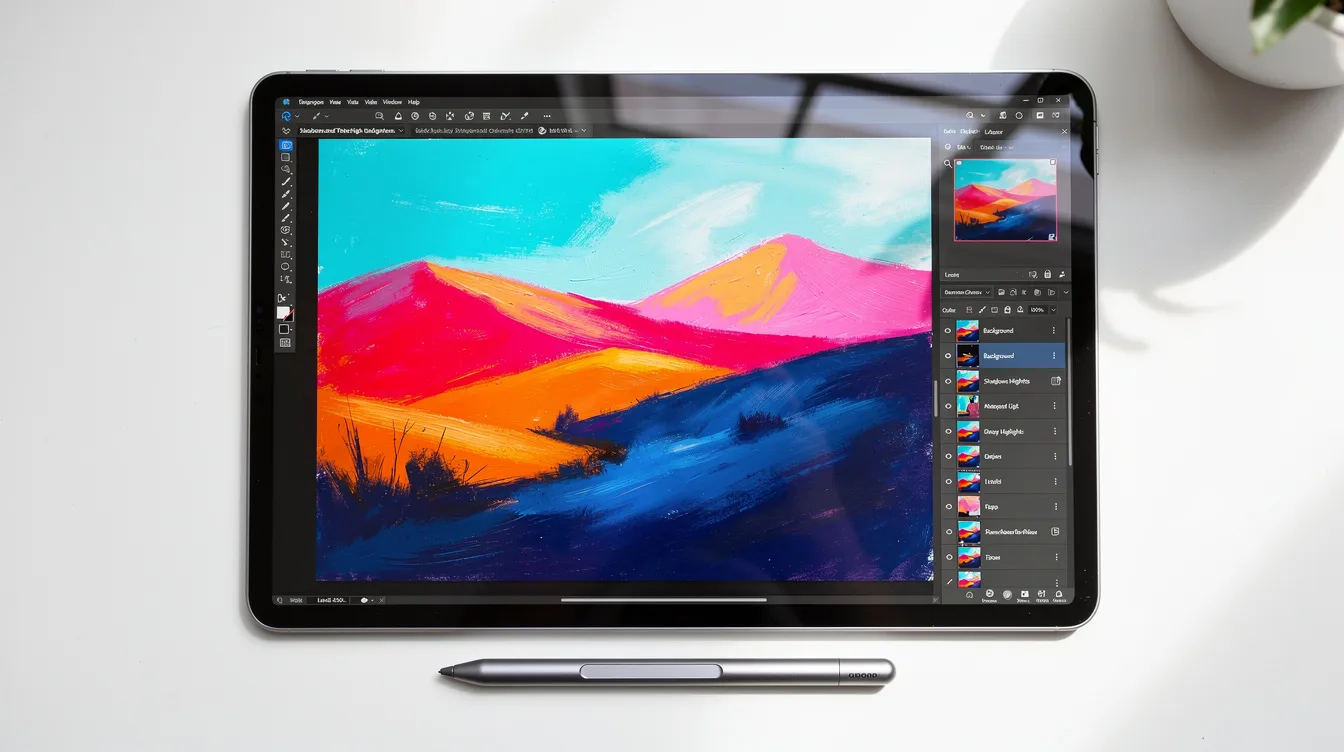
Hundreds of customizable brushes, plus the ability to import Photoshop brushes (.abr) and create your own
-
A full-featured layering system with 25 blend modes, layer opacity, masks and clipping masks
-
High-resolution canvases up to 16k by 8k on compatible iPad Pro models
-
A powerful 64-bit Valkyrie graphics engine that keeps everything smooth even on large canvases
-
Time-lapse recording built in, so you can export a video of your entire drawing process
-
Export options including PNG, JPEG, PSD (for Photoshop), TIFF and the native .procreate format that preserves all your layers
-
Simple animations using Animation Assist
-
Selection tools, transform tools, text, color fill and perspective guides
There are no feature paywalls. You do not pay extra to unlock animation, text tools or higher resolution canvases. Procreate allows users to customize brushes and access tools for digital painting right from the start. If the layer tools in that list are new to you, my step-by-step guide to Procreate layers walks through them one at a time.
Procreate has been updated regularly over the years, adding big features like Animation Assist and brush improvements without extra fees. For a one-time cost, that is a lot of app.
Free drawing apps to try before you buy Procreate
If you are not ready to spend money, that is completely fine. Starting with a free app for a week or two is normal and honestly a good idea.
Apple’s built-in Notes app and Markup tools are already on your iPad. They are light on layers and brush options, but they work for quick doodles and getting a feel for drawing on glass with a pen. Do not overlook them.
When you want more resources and control, two free apps stand out:
-
Sketchbook is clean, simple and has no subscription. It is a great app for general sketching and runs on Android and desktop too.
-
Ibis Paint X is free with optional paid upgrades. It has a huge brush library and is popular for anime and manga styles.
Note that free tiers of other apps change often. A feature that is free today might move behind a paywall next month, so read the listing carefully before counting on it.
While you are learning, focus on fundamentals that transfer to any drawing app later: layers, undo and redo, basic brushes and simple selections. Layers are what stopped me from ruining illustrations I actually liked. Once I understood that I could sketch on one layer and color on another, my drawings stopped feeling like a gamble. If you want the step-by-step version, I wrote up how layers work in Procreate.
My own free-app story: I tried a popular free app for about a week. The brushes were fun and I was starting to enjoy the process, but I kept hitting limits just as I got comfortable. The ads distracted me, though I know that is personal preference and others may not mind. What told me it was time to pay was realizing I wanted more control over brushes and layers than the free version offered. Practice matters more than which app you use, but the right app can make practice feel less like a fight.
Hidden costs: what else might you need besides Procreate?
Procreate’s one-time fee is only part of the picture. The iPad itself and accessories often cost far more than the app. Here is a rough breakdown so you are not caught off guard:
-
iPad: Even a used one runs a few hundred dollars. New models like an iPad Air or iPad Pro cost significantly more. If you already own one, this cost is zero.
-
Storage: Large canvases, time-lapse video files and high-resolution exports take up space. A 32 GB iPad can feel cramped fast. I clean mine out regularly.
-
Stylus: Ranges from under ten dollars for a basic capacitive pen to well over a hundred for an Apple Pencil. A decent third-party stylus sits somewhere in between.
-
Screen protector: A matte “paper feel” protector costs around ten to fifteen dollars and makes drawing feel nicer. Optional but worth considering.
-
Stand: A cheap tablet stand helps your neck if you draw for long sessions. Mine cost less than a meal out.
A simple total budget checklist: iPad, storage, stylus, screen protector, Procreate and maybe a stand. Spread the purchases out over time if you need to.
My own lesson, after eighteen months: the thing that helped most was not buying more tools. It was opening the app every evening and drawing the same dog in slightly different poses. The gear matters less than the habit.
How to decide: checklist for beginners wondering if Procreate is worth buying
Before you spend money, ask yourself a few things:
-
How often do you draw now? If you sketch a few times a week, even on paper, you will probably use Procreate enough to justify it. If you have not drawn in years and are just curious, start free.
-
Is your iPad compatible? Check the App Store listing. If it says “Not compatible,” you need a different device before anything else.
-
Does $12.99 fit this month’s budget? If not, there is no rush. Free apps will keep you busy until it does.
-
Have you watched anyone use it? Search for a Procreate beginner tutorial on YouTube or Google. A five-minute video will tell you more about the interface than any article can. The Procreate Handbook is also free to read on their website, so you can skim a few pages and see the tools you would be learning before you pay.
I would also suggest trying a free drawing app for at least a week. If you keep opening it and wishing for more control, fewer ads or better brushes, that is a strong sign Procreate is worth buying.
For me, Procreate felt worth it not because of a single awesome feature, but because of a quiet moment: drawing the same dog in the same pose over and over until the shaky lines started to settle, with no wasted paper and no popups asking for my account or my credit card. Creative professionals and hobbyists alike seem to find that same kind of space in the app, and it is hard to put a dollar value on something that just stays out of your way while you learn.
Procreate now, later or never are all fine choices. What matters is that you draw.
Conclusion: is Procreate free, and should you get it anyway?
Procreate is not free. It is a one-time purchase of about $12.99 on iPad, with no subscription and no hidden fees.
Many beginners and many artists still consider it the best app for drawing on iPad despite the cost: no ads, powerful tools, great features at every level and a huge library of tutorials across the internet. It is a great app that lets aspiring artists and hobbyists create masterpieces, or at least attempt them, without the software getting in the way.
If you cannot buy it yet, open any free app tonight and draw something. Skill matters more than software, and every artist I have seen online started somewhere messy. I hope this clears up the cost question so you can focus on the fun part, which is drawing.
I write about all of this at Two Finger Undo because I am still learning myself. If Procreate or any other drawing app ever changes its pricing, I will update this post. For now, thirteen dollars and an evening on the couch with a dog on your feet is a pretty good deal for a life that includes a little more art.
FAQ
Is there a free trial of Procreate? As far as I know, no. There was no trial when I bought it, and the App Store page does not mention one. If that ever changes in the future, it will show up on the listing.
Do I have to pay every month or every year? No. Procreate is a buy-once app with no subscription fees. I paid $12.99 once and have never been charged again. Every update since then has been included at no extra cost.
Can I use Procreate on my iPhone, Android phone or computer? The main Procreate app is for iPad only. Procreate Pocket is a separate purchase for iPhone. Procreate cannot be installed on Android devices, and there is no desktop or Windows version. If you need something cross-platform, apps like Krita (free, open source) run on a computer, and Ibis Paint X works on Android.
Do I need an Apple Pencil? No. I drew with my finger for my first few days and it worked for basic sketches. A stylus makes lines easier to control, but it does not have to be an Apple Pencil. Just make sure whatever pen you buy is compatible with your iPad model before you order it.
What if I buy it and do not like it? Refunds go through Apple, and the rules vary by region. I have not needed one myself. If you are unsure, try a free drawing app first to see if you enjoy drawing on a tablet at all. That way, if you do buy Procreate, you already know the basics and the money feels less like a risk.